Citron Emulator
High-Performance Nintendo Switch Emulator for PC & Android
Play Nintendo Switch titles on PC and Android with higher resolution scaling, improved frame stability, and modern graphics enhancements.
2100+
Compatible Games
Play a massive library of Nintendo Switch games with strong compatibility and regular updates for new titles.
550k+
Active Users
Trusted by a growing global community of gamers using Citron Emulator on PC and Android every day.
4.9/5
User Rating
Highly rated for performance, stability, and ease of use by emulator enthusiasts worldwide.
Citron Emulator — Nintendo Switch Emulator for PC & Android
Welcome to CITRONEMU.COM, an independent fan website providing downloads, setup guides, and resources for Citron Emulator users. Citron is a modern Nintendo Switch emulator focused on performance, compatibility, and graphical flexibility.
Citron enables Nintendo Switch emulation across PC, Linux, macOS, and Android platforms. Games can be rendered at higher internal resolutions with improved frame pacing and enhanced visual clarity compared to native console output.
If you are a player just trying to have fun or are a performance fanatic, Citron provides accurate emulation with flexible performance and visual customization.
Table of Contents
ToggleWhat Is Citron Emulator?
Citron Emulator is an open-source Nintendo Switch emulator designed to run Switch games on PC, Android, macOS, and Linux devices. It focuses on performance optimization, modern graphics rendering, and broad hardware compatibility.
Instead of running games directly on console hardware, Citron recreates the Switch environment through software emulation, allowing users to experience supported titles with higher resolutions, customizable controls, and advanced graphical settings.
This website is a fan-based resource that provides guides, setup tutorials, updates, and community information related to the Citron Emulator project.
Why Choose Citron Emulator?
Citron is designed as a performance-oriented emulation platform focused on stability, scalability, and graphical accuracy. It provided various features aimed at improving gameplay compatibility and overall performance.
- Strong Performance
Citron’s highly efficient emulation core allows users to play games at improved frame consistency and with minimal input lag. The intelligent distribution of CPU and GPU resources by the emulator aims to provide stable gameplay with reduced stutter and latency even with the most resource-hungry games.
- Next-Gen Visual Fidelity
Enjoy your preferred Nintendo Switch games in 4K resolution or even higher. Citron uses sophisticated upscaling, anti-aliasing, and post-processing filters, enhancing visual clarity beyond native console rendering. It also includes new textures, vivid colors, and sharper image quality through resolution scaling and modern rendering techniques.
- Wide Game Compatibility
Citron supports a growing library of games that are tested by the community, from big-budget exclusives to indie gems. Compatibility is validated through continuous community testing and development updates.
- Cross-Platform Support
No matter if you are using Windows, Linux, or Android, Citron provides a unified and optimized experience for all devices. Users can run Citron on desktop systems for maximum performance or on Android devices for portable gameplay.
- Customizable Graphics & Controls
You can adjust your visual settings, apply different shaders and filters, and redefine your input controls to match your playing style. Citron supports Xbox, PlayStation DualShock/DualSense, and Nintendo Pro Controllers and lets you create your own controller mappings, which means total freedom and comfort in gaming.
Key Features of Citron Emulator
Enhanced Performance Core
Citron uses an optimized emulation core designed to balance CPU and GPU workloads while minimizing latency.
4K and Ultra-HD Resolution Support
Supports native resolution rendering and scaling up to 4K or 8K depending on hardware capability.
Advanced Rendering Engine
Citron uses modern graphics APIs, including Vulkan, DirectX 12, and OpenGL, enabling advanced lighting, anti-aliasing, and texture scaling.
Save States (Coming Soon)
Save or reload your progress instantly with a single click. It is ideal for difficult boss fights, or trying out various tactics without the need to go through the whole level again.
Controller Compatibility
Citron offers full support for Xbox, DualShock, and Nintendo Pro Controllers. Moreover, it has full remapping capabilities for keyboard and mouse users.
Mod & Shader Support
Supports community mods, HD texture packs, and shader enhancements, extending visual quality beyond the original Nintendo Switch output.
Fast Loading & Boot Time
Citron’s shader caching reduces game loading times and runtime stutter.
Open-Source & Community Driven
Citron is built on an open-source basis that invites worldwide developers to contribute to it, thereby guaranteeing that the product will keep on improving, getting new features, and being transparent.
File Integrity Checks
This emulator includes built-in file integrity checks that help reduce crashes caused by corrupted files.
Game Compatibility & Performance
The Citron Emulator has high compatibility for many popular titles, indicating that many Nintendo Switch titles are currently playable, with compatibility improving through ongoing updates. It is compatible with almost all top-performing titles including, The Legend of Zelda: Breath of the Wild, Super Mario Odyssey, Mario Kart 8 Deluxe, Super Smash Bros. Ultimate, Pokémon Sword/Shield, Animal Crossing: New Horizons, Splatoon 3, and Xenoblade Chronicles 3.
Through frequent updates and community-led patches, the compatibility list is expanded by including new games every week, which continues expanding overall game compatibility.
Popular Games
And much more! Explore our complete compatibility database for full game status details.
Check our compatibility list.
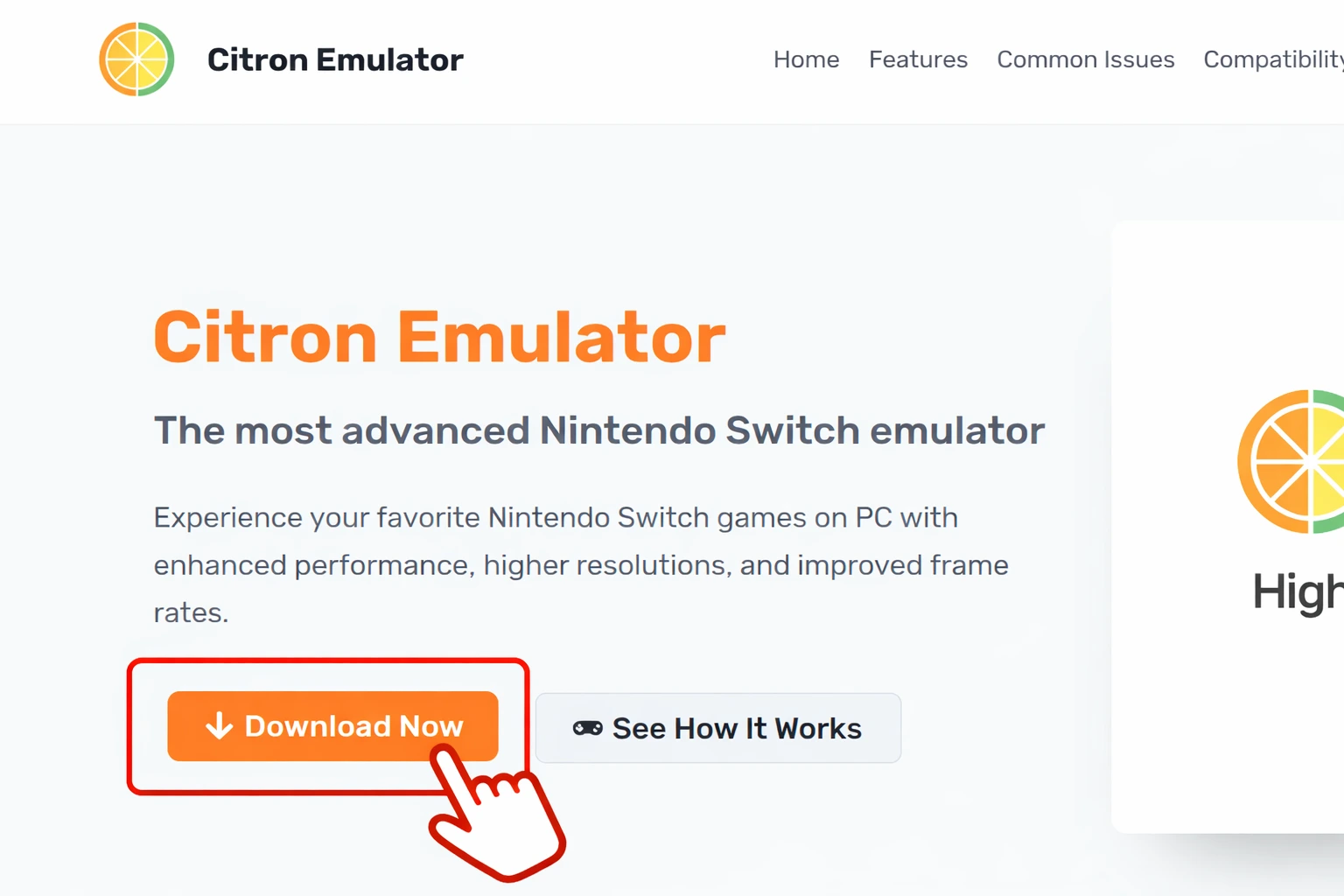
Download Citron
Get the latest version of Citron for PC with improved performance and stability.
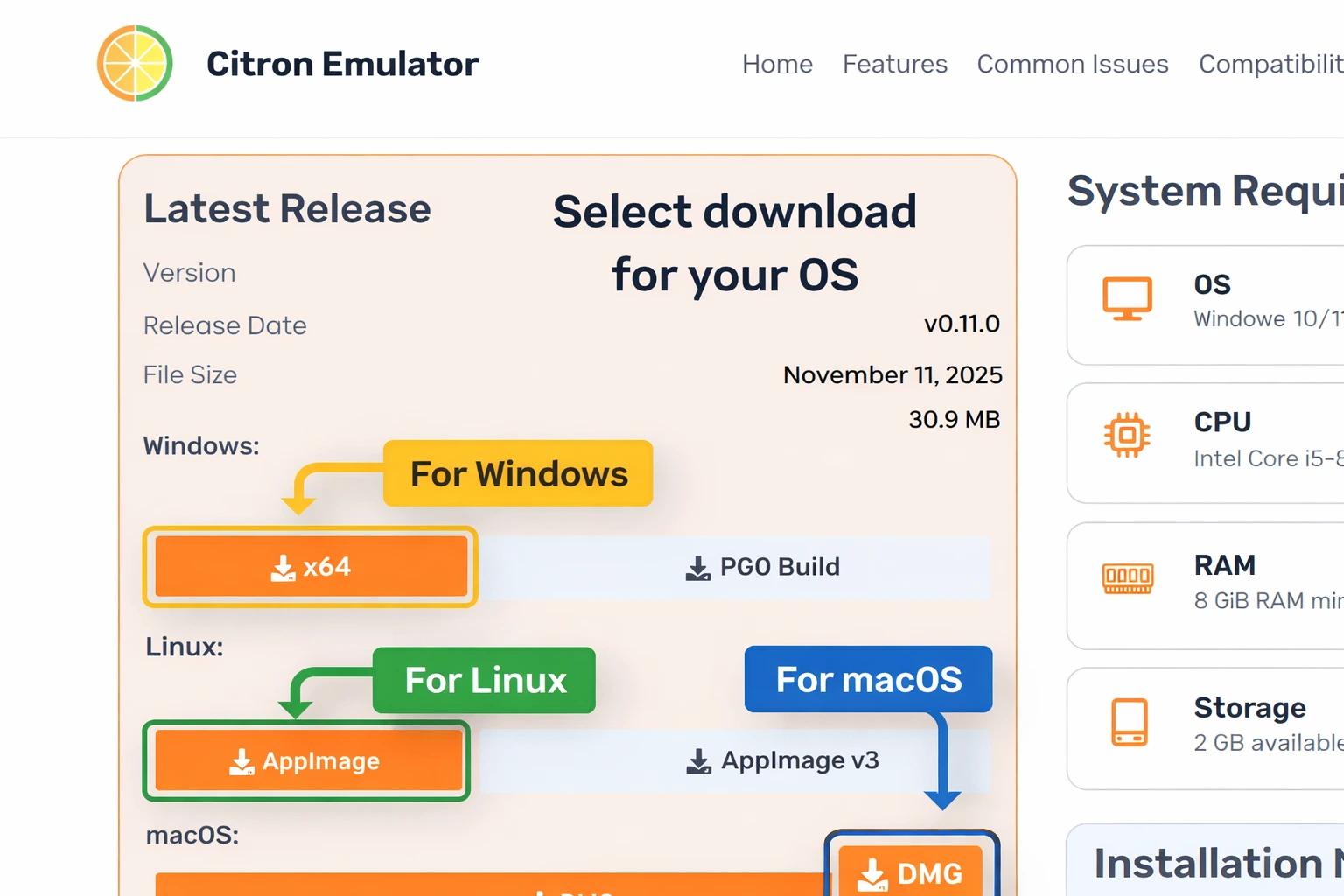
Latest Release
Windows:
Linux:
macOS:
Android:
- Nightly Builds (Experimental Versions)
Downloads link to publicly available Citron Emulator releases. This website is not affiliated with the official Citron Emulator development project.
System Requirements
Windows 10/11 64-bit, macOS, Linux 64-bit
Intel Core i5-8400 / AMD Ryzen 5 2600
8 GB RAM minimum
2 GB available space
Installation Notes (Updated & Unique)
- Windows users must have the Visual C++ Redistributable installed.
- A DirectX 12 or Vulkan-supported GPU is recommended for best performance.
- Nintendo Switch system files are required for proper operation (these are not included).
- AppImage builds are fully portable — simply make them executable using chmod +x.
- macOS versions need macOS 10.15 (Catalina) or newer to run.
Minimum & Recommend PC Specifications
| Component | Minimum Requirements | Recommended Requirements |
|---|---|---|
| OS | Windows 10/11 64-bit or Linux 64-bit | Windows 11 or latest Linux distro |
| CPU | Intel Core i5-8400 / AMD Ryzen 5 2600 | Intel Core i7-10700K / AMD Ryzen 7 5800X |
| RAM | 8 GB | 16 GB or higher |
| GPU | DirectX 12 or Vulkan compatible | GTX 1660 / RX 5600 XT or better |
| Storage | 2 GB | SSD recommended |
Installation Guide
Getting the Citron Emulator up and running will not take much time and effort:
- First, visit CITRONEMU.com, and download the latest version suitable for your OS.
- Then, proceed to install the necessary dependencies like Visual C++ Redistributable for Windows or Vulkan drivers for Linux.
- Next, add legally obtained Nintendo Switch firmware and keys.
- After that, place your game files (XCI/NSP) in Citron’s designated game directory.
- Finally, run Citron, set up your controller, and enjoy playing!
Advanced Tips & Optimization
For optimal use of Citron Emulator:
- Utilize Vulkan for enhanced GPU performance on the new hardware.
- Turn on Async GPU Emulation for a more fluid gaming experience.
- Modify internal resolution scaling to find the best spot between performance and visuals.
- Always have the shader cache precompiled to lessen stuttering while you play.
- Join the community Discord to access shared optimization presets and troubleshooting help.
Frequently Asked Questions (FAQs):
Is Citron Emulator safe to use?
Citron is open-source, so its code can be reviewed publicly. As with any software, download only from the official source linked on this page and scan files yourself before running them.
Do I need a powerful PC to run Citron Emulator?
Not necessarily. Citron is very efficiently optimized for mid-range devices. Nevertheless, the utmost performance is advised to be done on a system equipped with an Intel i5 or Ryzen 5 processor, 8 GB of RAM, and a Vulkan/DirectX 12 compatible GPU.
Is Citron Emulator legal?
Citron is legal to use. Nevertheless, the act of downloading or distributing copyrighted video game files (ROMs) that are not in your possession remains illegal.
Does Citron collect user data?
No. Citron highly values privacy. Users’ personal data will not be tracked, logged, or gathered by the company. In order to ensure that your gaming experience is private and secure, everything is done on your device.
How often is Citron updated?
Update frequency depends on the upstream project. Check the official repository linked on this page for the latest releases.
Legal Disclaimer
Citron Emulator is open-source software developed for educational and preservation purposes. Users must legally obtain games and firmware before using the emulator.
CITRONEMU.COM does not keep or share copyrighted Nintendo material such as ROMs, keys, or BIOS files. For more information, you can visit Disclaimer Page.
Final Thoughts
Citron is an open-source Nintendo Switch emulator maintained in its public repository. This fan site provides setup guides, compatibility information, and community resources. Whether you’re revisiting older titles or trying newer ones, Citron aims to deliver stable gameplay with flexible visual and performance options.
Get Support
Our community and documentation provide quick answers, troubleshooting tips, and friendly support whenever you need it.
About Author

Discord Community Help
Our community is active day and night, ready to assist with real-time help, tips, and troubleshooting.
GitLab Repository
Get started fast with step-by-step tutorials designed for new users. Simple, clear, and easy to follow.
Citron Development Project
Citron is developed in the open. Check the public repository for the latest changes and releases.
Community Forum
Join the community now to get quick help, share fixes, and learn tips from other expert users.
Stay Connected
Subscribe to our newsletter to get the latest updates, release notes, and development news.